Complete guide to choosing the best laptop repair service in Malaysia. Learn red flags to avoid, green flags to look for, common laptop problems, warranty expectations, and data security during repair.
Laptop Repair Near Me Malaysia: Finding the Best Service Center
Searching for "laptop repair near me" in Malaysia? You're making a smart move by choosing local repair over shipping devices to unknown centers. But with hundreds of laptop repair shops across Klang Valley, Penang, Johor Bahru, and other cities, how do you choose the right one?
This comprehensive guide helps you identify trustworthy repair centers, avoid common pitfalls, and get your laptop fixed properly the first time.
Why "Near Me" Searches Matter for Device Repair
Convenience Benefits:
- Drop off and pick up on your schedule
- Visit in person to assess facility and technicians
- Quick turnaround for urgent repairs
- Easy to return if issues arise post-repair
Trust and Transparency:
- See your device being diagnosed (some shops allow this)
- Meet technicians face-to-face
- Verify business legitimacy with physical storefront
- Check displayed certifications and licenses
Local Accountability:
- Reviews from nearby customers
- Reputation in the community matters
- Easier to resolve disputes
- Supporting local businesses
Red Flags: How to Spot a Bad Repair Shop
🚩 Warning Sign #1: No Transparent Pricing
Avoid shops that:
- Refuse to provide written quotes before repair
- Have "call for pricing" on all services
- Add unexpected charges after diagnosis
- Quote suspiciously low prices, then add "extras"
What to Do Instead: Look for shops with clear pricing lists, even if approximate. Techfix Malaysia displays pricing ranges on our website and provides detailed written quotes before any work begins.
🚩 Warning Sign #2: No Warranty or Very Short Warranty
Reputable repair shops stand behind their work:
- ❌ No warranty = no confidence in repairs
- ❌ 7-day warranty = minimal accountability
- ✅ 30-90 day warranty = standard professional service
- ✅ 90+ day warranty = exceptional quality (Techfix offers 90 days)
🚩 Warning Sign #3: Pressure to Repair Immediately
Beware of shops that:
- Insist you must repair "right now"
- Won't let you take device for second opinion
- Claim "limited time offers" on repairs
- Use scare tactics ("will damage other components if you wait")
Ethical shops allow time for decision-making and encourage second opinions on expensive repairs.
🚩 Warning Sign #4: No Physical Business Premises
Red flags for location:
- Operate only from home with no signage
- No company registration visible
- Frequently changing locations
- Only contactable via WhatsApp, no landline
🚩 Warning Sign #5: Technicians Can't Explain Issues
Bad signs during diagnosis:
- Vague explanations like "motherboard problem" without details
- Can't show you the actual failed component
- Refuse to let you see diagnostic process
- Use overly technical jargon to confuse rather than inform
🚩 Warning Sign #6: No Data Protection Measures
Danger signs for your privacy:
- Don't mention data backup or security
- Ask for passwords without explaining why
- No data privacy policy displayed
- Previous customer data visible on repair bench
🚩 Warning Sign #7: Generic Parts Without Options
Quality concerns:
- Only offer "compatible" parts without brand names
- Can't specify part manufacturer
- No option for original or OEM parts
- Parts have no packaging or labels
Green Flags: Signs of a Trustworthy Technician
✅ Quality Indicator #1: Certifications and Training
Look for:
- Manufacturer certifications (Microsoft, HP, Dell, Lenovo, Apple)
- Industry certifications (CompTIA A+, etc.)
- Displayed certificates in shop
- Team photos showing actual technicians
At Techfix Malaysia, our technicians hold certifications from:
- Apple Independent Repair Provider Program
- Microsoft Authorized Service Provider
- 5+ years hands-on experience
✅ Quality Indicator #2: Transparent Diagnostic Process
Professional shops offer:
- Free or affordable diagnostics (RM 30-50 if no repair)
- Detailed written diagnostic report
- Photo/video evidence of issues
- Multiple repair options with pros/cons
- Clear explanation of what caused the problem
✅ Quality Indicator #3: Multiple Contact Methods
Established businesses have:
- Physical address with clear directions
- Business landline number
- WhatsApp for convenience
- Email for documentation
- Social media with customer interactions
- Google Business listing with reviews
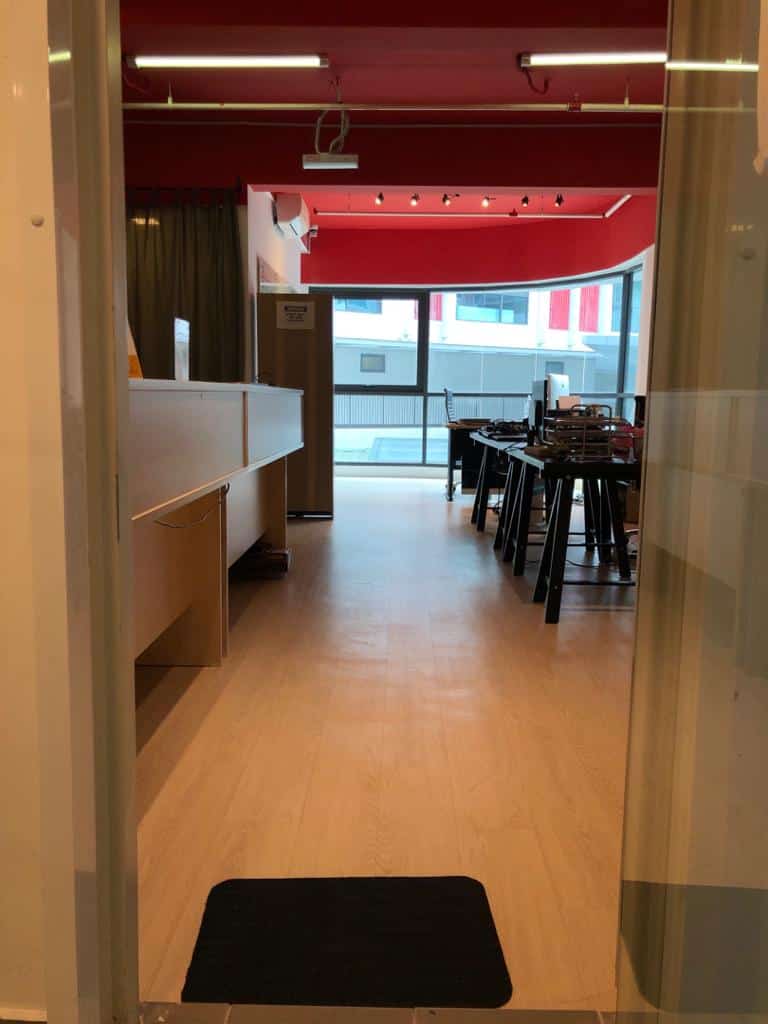
✅ Quality Indicator #4: Clean, Organized Workshop
Professional repair centers maintain:
- Organized workspace with proper tools
- ESD-safe workstations
- Component storage and labeling
- Clean environment (dust-free areas for internal repairs)
- Security measures for customer devices
✅ Quality Indicator #5: Genuine Reviews and Testimonials
Trust indicators:
- Google reviews (100+ reviews with variety)
- Facebook page with customer photos
- Before/after repair photos
- Testimonials with full names and photos
- Response to negative reviews (shows accountability)
Techfix Malaysia has 450+ Google reviews with 4.8/5 stars and active responses to all feedback.
✅ Quality Indicator #6: Written Warranty Terms
Professional documentation includes:
- Warranty duration clearly stated
- What's covered and what's excluded
- Process for warranty claims
- Contact information for support
✅ Quality Indicator #7: Data Security Policy
Reputable shops:
- Ask if you've backed up data
- Offer to help with backup (for a fee)
- Have written data privacy policy
- Use secure storage for devices awaiting repair
- Require ID verification for pickup
Common Laptop Problems Diagnosis Guide
Before visiting a repair shop, understand your issue:
Problem: Laptop Won't Turn On
Possible causes:
- Dead battery (try plugged in without battery)
- Faulty charger (test with another charger)
- Power button failure
- Motherboard issue
Initial troubleshooting:
- Hold power button for 30 seconds to discharge
- Remove battery, plug in charger, try to boot
- Check for LED indicators
- Listen for fan noise
Expected repair cost: RM 80 - RM 600 depending on cause
Problem: Laptop Overheating and Shutting Down
Possible causes:
- Dust accumulation in fans/heatsink
- Dried thermal paste
- Fan failure
- Blocked ventilation
Initial troubleshooting:
- Check vents for dust buildup
- Ensure laptop is on hard, flat surface
- Listen for fan operation
Expected repair cost: RM 60 - RM 250 (cleaning and thermal paste)
Problem: Cracked or Broken Screen
Possible causes:
- Physical impact
- Pressure while closed
- Manufacturing defect (rare)
What to check:
- Does display still show image (backlight working)?
- Touch screen still functional?
- External monitor works normally?
Expected repair cost: RM 300 - RM 1,200 depending on model
Problem: Keyboard Not Working
Possible causes:
- Liquid damage
- Dust/debris under keys
- Connector issue
- Driver problem (software)
Initial troubleshooting:
- Reboot and test
- Use on-screen keyboard to test if input works
- Try external USB keyboard
Expected repair cost: RM 150 - RM 500 for keyboard replacement
Problem: No WiFi or Bluetooth
Possible causes:
- Driver issue (try reinstalling)
- WiFi card failure
- Antenna disconnection
Initial troubleshooting:
- Check if WiFi is enabled in settings
- Update network drivers
- Test in Safe Mode
Expected repair cost: RM 80 - RM 200 for WiFi card replacement
Problem: Slow Performance
Possible causes:
- Hard drive failure/aging HDD
- Insufficient RAM
- Malware/viruses
- Too many startup programs
- Overheating causing throttling
Initial troubleshooting:
- Check Task Manager for resource usage
- Run antivirus scan
- Clear temporary files
- Disable unnecessary startup programs
Expected repair cost: RM 100 - RM 500 (often just needs SSD upgrade)
Warranty and Guarantee: What to Expect
Standard Warranty Terms:
Parts Warranty:
- New Parts: 90 days minimum (Techfix standard)
- Refurbished Parts: 30-60 days typical
- Used Parts: 14-30 days (should be disclosed upfront)
Labor Warranty:
- Should match parts warranty
- Covers reinstallation if parts fail
- Covers errors in installation
What Warranties DON'T Cover:
- New damage after repair (drops, spills, etc.)
- Issues unrelated to the repair performed
- Wear and tear from normal use
- Third-party modifications after repair
- Liquid damage (even to repaired component)
Questions to Ask About Warranty:
- How long is the warranty period?
- What specifically does it cover?
- What's the process if something goes wrong?
- Do I need the receipt? (Always keep it!)
- Does it cover both parts AND labor?
- Are there any exclusions I should know about?
Techfix Malaysia Locations
Sunway Geo Avenue (Main Branch)
- Address: G-06-28, Level 6, Block G, Sunway Geo Avenue, Jalan Lagoon Selatan, Sunway, 47500 Subang Jaya, Selangor
- Nearby landmarks: 5 minutes walk from Sunway Pyramid, opposite Sunway University
- Parking: Available at Sunway Geo Avenue (RM 3/hour)
- Operating Hours: Monday-Saturday 10am-7pm, Sunday 11am-5pm
- Services: All laptop brands, gaming laptops, MacBook, Surface
Cyberjaya (Technology Hub)
- Address: A-G-06, CoPlace 2, Jalan Usahawan, Cyber 5, 63000 Cyberjaya, Selangor
- Nearby landmarks: 5 minutes from Cyberjaya City Centre, near Tamarind Square
- Parking: Free parking available
- Operating Hours: Monday-Saturday 10am-7pm, Sunday 11am-5pm
- Services: All laptop brands, corporate accounts welcome
Why Choose Our Locations:
- Easy access via LRT/MRT (Sunway) or car (Cyberjaya)
- Comfortable waiting areas with WiFi
- Free coffee/tea while you wait
- Transparent repair process - you can watch diagnosis
How to Prepare Your Laptop Before Sending for Repair
Step 1: Backup Your Data (CRITICAL)
Even for hardware repairs, always backup:
- Important documents to cloud (Google Drive, OneDrive, Dropbox)
- Photos and videos to external hard drive
- Bookmarks and passwords using browser export
- Full system backup using Windows Backup or Time Machine (Mac)
Why: While rare, data loss can occur during repairs. Technicians may need to reset BIOS, test with fresh OS, or in worst case, component failure could affect storage.
Step 2: List Specific Problems
Write down:
- When did the issue start?
- Does it happen all the time or intermittently?
- What were you doing when it first occurred?
- Any error messages (take screenshots if possible)
- Any recent changes (software installed, updates, drops, spills)
Step 3: Remove Personal Accessories
Take out:
- SD cards, USB drives
- External mouse, keyboard
- SIM cards (if applicable)
- Laptop bags and cases
- Personal stickers (if you want them preserved)
Step 4: Note Down Passwords (if needed)
Some repairs require:
- Windows/Mac login password (for testing)
- BIOS password (if enabled)
- Encryption keys (if drive is encrypted)
Security tip: Only provide passwords if technician explains specifically why they're needed. Reputable shops test without logging into your user account when possible.
Step 5: Check Warranty Status
Before repair:
- Check manufacturer warranty (may still be active)
- Contact manufacturer if under warranty
- Understand that third-party repair may void warranty
- Weigh cost savings vs warranty preservation
Step 6: Get Insurance/Proof of Value
For expensive laptops:
- Take photos of laptop exterior (all angles)
- Note any existing cosmetic damage
- Get receipt or proof of ownership ready
- Check if home/office insurance covers repair transport
Data Security During Laptop Repair
Your Rights:
- Right to data privacy
- Right to know who accesses your device
- Right to have data deletion if irreparable
Shop Responsibilities:
- Secure storage of devices
- Minimal data access (only as needed for repair)
- No copying of personal data
- Secure disposal of replaced components
Techfix Malaysia Data Protection:
- Logged access control (only assigned technician handles your laptop)
- CCTV coverage of repair areas
- Data privacy agreement signed at intake
- Secure storage room for overnight devices
- HDD/SSD destruction service for replaced drives (RM 30)
Best Practices for Customers:
- Remove sensitive files before repair if possible
- Use a guest account or test account for technician use
- Encrypt important folders
- Change passwords after repair if you shared them
- Ask shop to sign data privacy agreement
Turnaround Times: Same-Day vs Extended Service
Same-Day Service (Available at Techfix for Select Repairs):
Repairs completed in 2-6 hours:
- RAM upgrades
- SSD installation and cloning
- Dust cleaning and thermal paste
- Keyboard replacement (most models)
- Battery replacement
- Fan replacement
- Screen replacement (in-stock models)
Requirements for same-day:
- Drop off before 2pm
- Parts in stock
- No complex diagnosis needed
Next-Day Service (1-2 Working Days):
Common repairs:
- Motherboard repairs (component level)
- Complex diagnostics
- Custom part orders
- Liquid damage assessment and cleaning
Extended Service (3-7 Working Days):
Situations requiring more time:
- Rare laptop models needing special-order parts
- Multiple component failures
- Extensive water damage repair
- Waiting for manufacturer part replacement
Techfix Commitment:
- We provide accurate time estimates upfront
- Update you via WhatsApp if delays occur
- Offer loaner laptops for urgent cases (RM 50/day deposit)
Frequently Asked Questions
Q: How do I know if I should repair or replace my laptop? A: Consider repair if: (1) Laptop is less than 4 years old, (2) Repair cost is less than 40% of replacement cost, (3) Only one component failed, (4) You're satisfied with performance. Consider replacement if: (1) Laptop is 5+ years old, (2) Multiple components failing, (3) Repair costs exceed 50% of new laptop, (4) You need significant performance upgrade.
Q: Can I watch my laptop being repaired? A: At Techfix, you're welcome to observe the initial diagnostic process. For complex repairs requiring hours of work in clean room environment, we'll provide photo/video updates instead. We value transparency while maintaining quality control.
Q: What if the repair doesn't fix the problem? A: Reputable shops like Techfix guarantee that diagnosed issues are resolved. If the original issue persists, we'll re-diagnose and repair at no additional charge within warranty period. If a different issue appears, that would be quoted separately.
Q: Do you offer corporate or bulk repair services? A: Yes, Techfix Malaysia offers corporate accounts with: (1) Priority service, (2) Pickup/delivery options, (3) Monthly invoicing, (4) Extended warranties, (5) Quarterly preventive maintenance packages. Contact us at fix@techfix.my for corporate inquiries.
Q: How much does diagnostic service cost? A: At Techfix, diagnostics are FREE if you proceed with repair. If you decline repair, diagnostic fee is RM 30 for standard laptops, RM 50 for gaming laptops or MacBooks (covers technician time and detailed report).
Q: Can liquid-damaged laptops be saved? A: Depends on: (1) Type of liquid (water vs. soda vs. coffee), (2) How quickly it was powered off, (3) How long it stayed wet, (4) Which components were affected. Success rate is 60-70% if brought in within 24 hours and properly handled. Never try to turn it on - bring immediately for professional cleaning.
Book Your Laptop Repair Service Today
Don't trust your valuable laptop to just anyone. Choose Techfix Malaysia for:
- ✅ Certified technicians with 5+ years experience
- ✅ Transparent pricing with written quotes
- ✅ 90-day warranty on all repairs
- ✅ Same-day service available
- ✅ Free diagnostics
- ✅ Data security guaranteed
- ✅ All laptop brands serviced
📍 Sunway: G-06-28, Sunway Geo Avenue 📍 Cyberjaya: A-G-06, CoPlace 2
📞 Call/WhatsApp: 017-355 5725 📧 Email: fix@techfix.my 🌐 Book Online: techfix.my/booking
Walk-ins welcome! Free parking at Cyberjaya location.