Surface Laptop keyboard not working? Learn about keyboard repair costs, common issues, and professional replacement services in Malaysia.
Surface Laptop Keyboard Repair & Replacement Guide
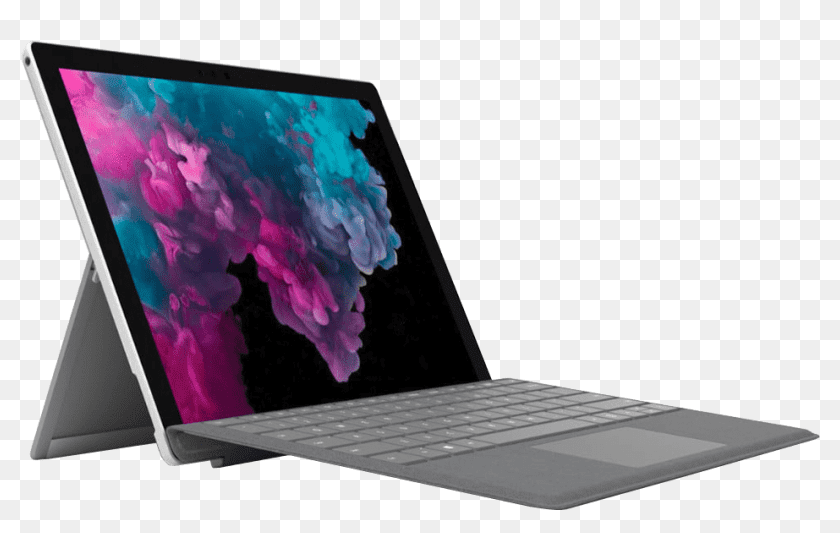
Surface Laptop keyboards are renowned for their excellent typing experience, but issues can arise. This guide covers common problems and repair solutions in Malaysia.
Surface Laptop Keyboard Replacement Costs
| Model | Keyboard Replacement Cost |
|---|---|
| Surface Laptop 3 | RM 400 - RM 500 |
| Surface Laptop 4 | RM 450 - RM 550 |
| Surface Laptop 5 | RM 500 - RM 600 |
| Surface Laptop Go | RM 350 - RM 450 |
| Surface Laptop Studio | RM 550 - RM 700 |
Common Surface Laptop Keyboard Issues
1. Keys Not Responding Single or multiple keys stop working, often due to dust or debris underneath.
2. Sticky Keys Keys feel sticky or require extra force, typically from spills or accumulated grime.
3. Repeated Characters A single key press registers multiple times, indicating switch failure.
4. Keyboard Not Detected Entire keyboard unresponsive, often a connection or controller issue.
5. Backlight Problems Backlight not working or uneven illumination.
Surface Laptop Keyboard Design Challenges
Alcantara Fabric Earlier Surface Laptops feature Alcantara fabric around the keyboard, which can stain and wear over time.
Integrated Design The keyboard is integrated into the top case assembly, making replacement more involved than standard laptops.
Precision Engineering Microsoft's quality standards require careful handling during repairs.
Keyboard Repair Process at Techfix
Step 1: Diagnosis We identify whether the issue is with individual keys, the entire keyboard, or the connection.
Step 2: Cleaning Assessment For debris-related issues, professional cleaning may resolve the problem without full replacement.
Step 3: Component Replacement If cleaning doesn't work, we replace the keyboard assembly with a high-quality unit.
Step 4: Testing Every key tested for proper function, along with backlight and trackpad.
Step 5: Warranty 90-day coverage on keyboard replacement.
Repair Time: 2-3 hours
Keyboard Care Tips
- Keep Food & Drinks Away - Spills are the #1 cause of keyboard damage
- Regular Cleaning - Use compressed air to remove debris
- Gentle Key Presses - Don't pound on keys
- Alcantara Care - Clean fabric with slightly damp cloth
- Keep Closed When Not in Use - Prevents dust accumulation
DIY Cleaning Tips
For Minor Issues:
- Power off and unplug
- Turn upside down and gently shake
- Use compressed air between keys
- Wipe with slightly damp microfiber cloth
- Let dry completely before use
When to Seek Professional Help:
- Liquid spill on keyboard
- Multiple keys not working
- Physical key damage
- Keyboard not detected at all
Book Your Surface Laptop Keyboard Repair
Get your Surface Laptop typing like new again.
📍 Sunway: G-06-28, Level 6, Block G, Sunway Geo Avenue 📍 Cyberjaya: A-G-06, CoPlace 2, Jalan Usahawan 📞 WhatsApp: 017-355 5725
Same-day keyboard repair available!